Getting started.
From account creation to your first DMARC setup usually takes only a few minutes. After that, dmarcula waits for the first aggregate reports to arrive and shows the result in your dashboard.
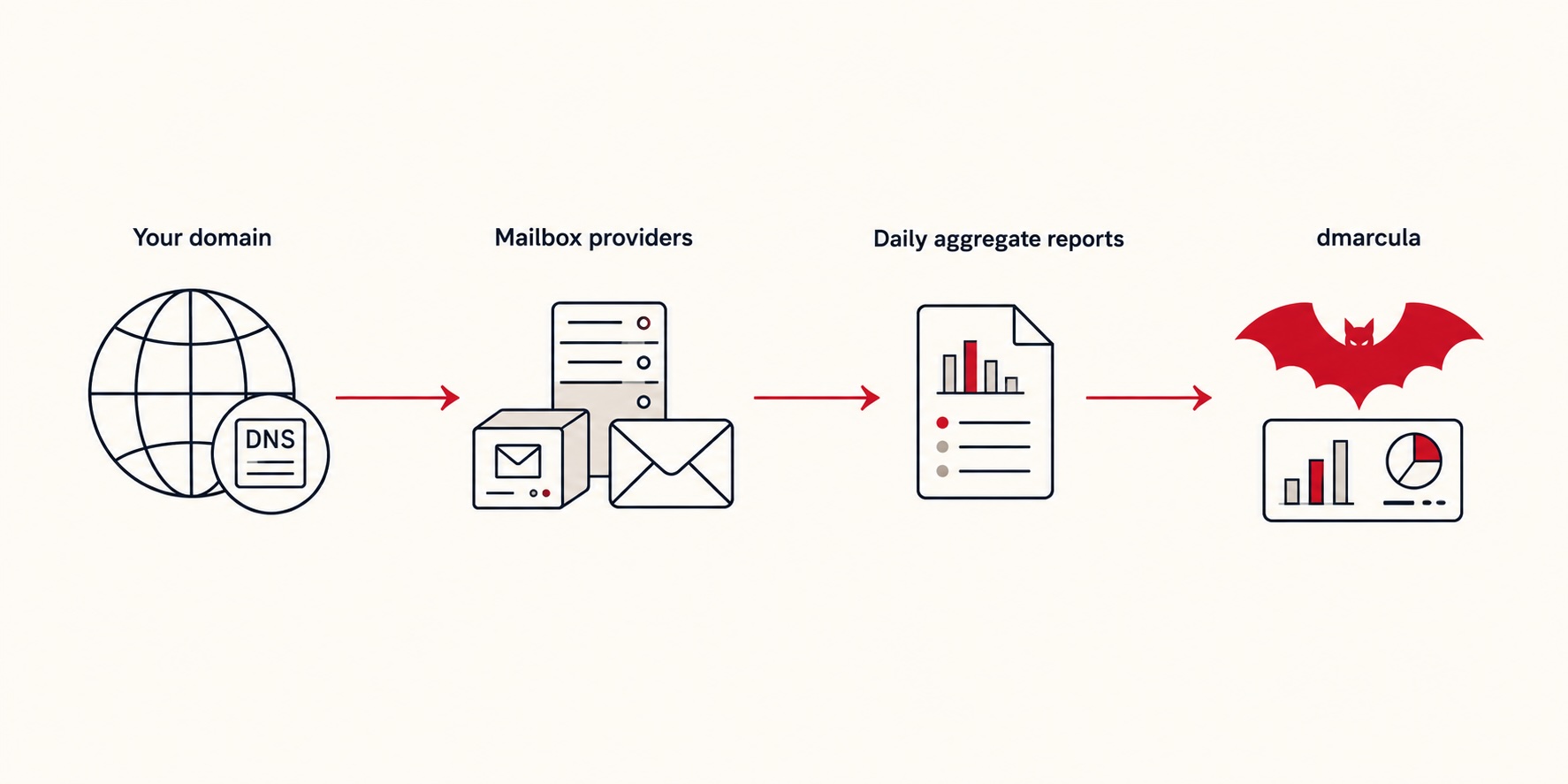
You only need to add one DNS record. The first record uses p=none, which means monitor only. It asks mailbox providers to send reports, but it does not change how your email is delivered.
1. Create your account
Sign up with your work email.
If signups are paused, you will be added to the waitlist instead. We open access in steps and will email you when a spot is available.
2. Connect your domain
There are two ways in:
- Microsoft 365. Connect your Microsoft 365 tenant and dmarcula will detect the domains already verified in Microsoft 365. You can then choose which domain to monitor.
- Any other provider. Enter your domain name manually. This works with Google, Workspace, Fastmail, Simply, your own mail server or any other mail providor. DMARC is not tied to a specific mail platform.
3. Add one DNS record
This is the only change you make to your domain. We hand you a ready-made DMARC TXT record. Copy it, or email it straight to whoever manages your DNS. It looks like this:
- Host
- _dmarc.yourdomain.com
- Type
- TXT
- Value
- v=DMARC1; p=none; rua=mailto:dmarc-xxxxxxxx@dmarcula.com
Two parts matter here. The rua= address is
your private dmarcula inbox. It tells the world's mailbox providers where to send their DMARC
aggregate reports. The
p=none means
monitor only: you're asking for reports, not changing
how anything is delivered. Nothing about your email changes today.
Add it wherever your DNS lives. Cloudflare, Route 53, Simply, GoDaddy, and the rest all work the same way. Not sure who manages DNS for your domain? Your IT lead or hosting provider will know, or use the Send to my DNS admin button in the app. We check for the record automatically. Usually within a minute you'll see DMARC flip to verified.
4. Wait for the first reports
This is the one part you can't rush. Mailbox providers (Google, Microsoft, Yahoo, and the rest) send their aggregate reports on their schedule, usually once a day. So your first real data typically lands within 24–72 hours. There's nothing more to do but let it roll in.
5. Read your dashboard
Once reports arrive, your dashboard shows who's sending email as your domain, how much of it passes authentication, and anything that needs a closer look. From there, dmarcula keeps watching and nudges you forward when it's safe to tighten your policy.
What's next
Once your first reports land:
- Reading your dashboard: make sense of what shows up.
- The enforcement journey: move safely from
p=nonetop=rejectwhen you're ready. - Or jump straight into your dashboard.